
Setting up your business profile
Your business profile is the single source of truth for how clients see you. Everything Surfacely generates — PDFs, portals, emails — pulls from here, so clients experience one consistent brand instead of a patchwork.
What to fill in
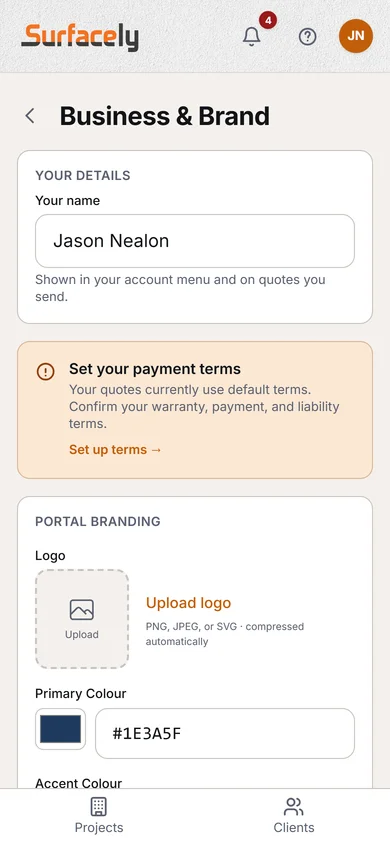
Open Settings → Business & Brand and enter:
- Business name — appears on every document header
- Trading name — if different from your legal business name
- Country and currency — sets your locale for units, tax labels, and T&Cs
- Logo — upload once, shows on every quote, invoice, and portal
- Brand colour and accent — used across client-facing pages and PDFs
- Tagline — optional line under your business name on portals
Bank details for invoices, payment surcharge, and Stripe Connect all live under Settings → Payments.
Terms of trade
Under Settings → Terms & Conditions you can review the baseline terms for your locale. Surfacely ships locale-appropriate clauses (including statutory cooling-off where it applies), and you can add custom text — for example, your preferred payment window or insurance statement.
Why it matters: a client who sees your logo and colour on a professional PDF trusts your price. A client who gets an unbranded PDF calls three other painters for comparison. Branding isn't vanity — it's conversion.
Use a PNG logo with a transparent background, at least 400px wide. It'll look crisp on everything from an invoice footer to a full-screen portal header.