Step 1
Send a link instead of a site visit
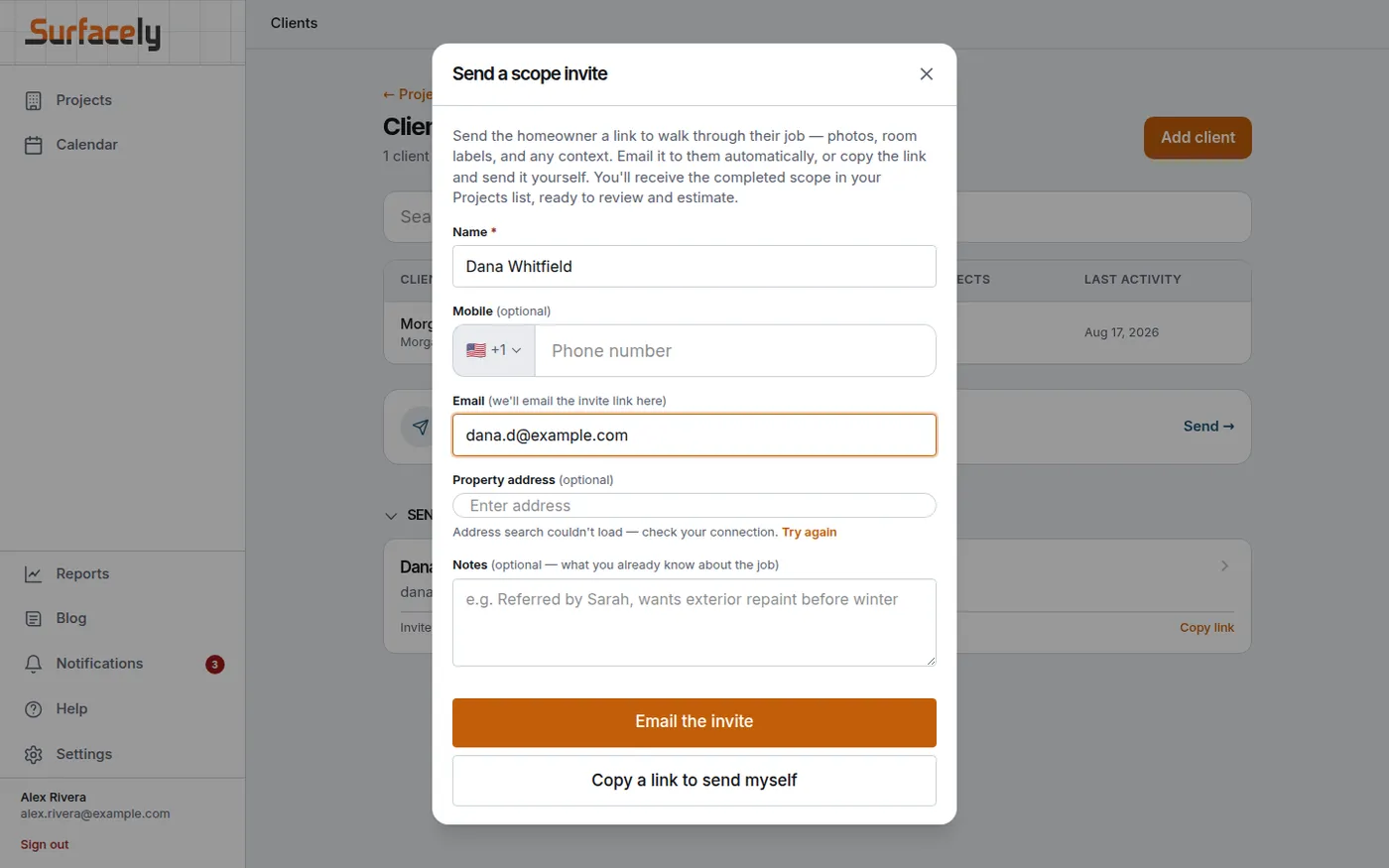
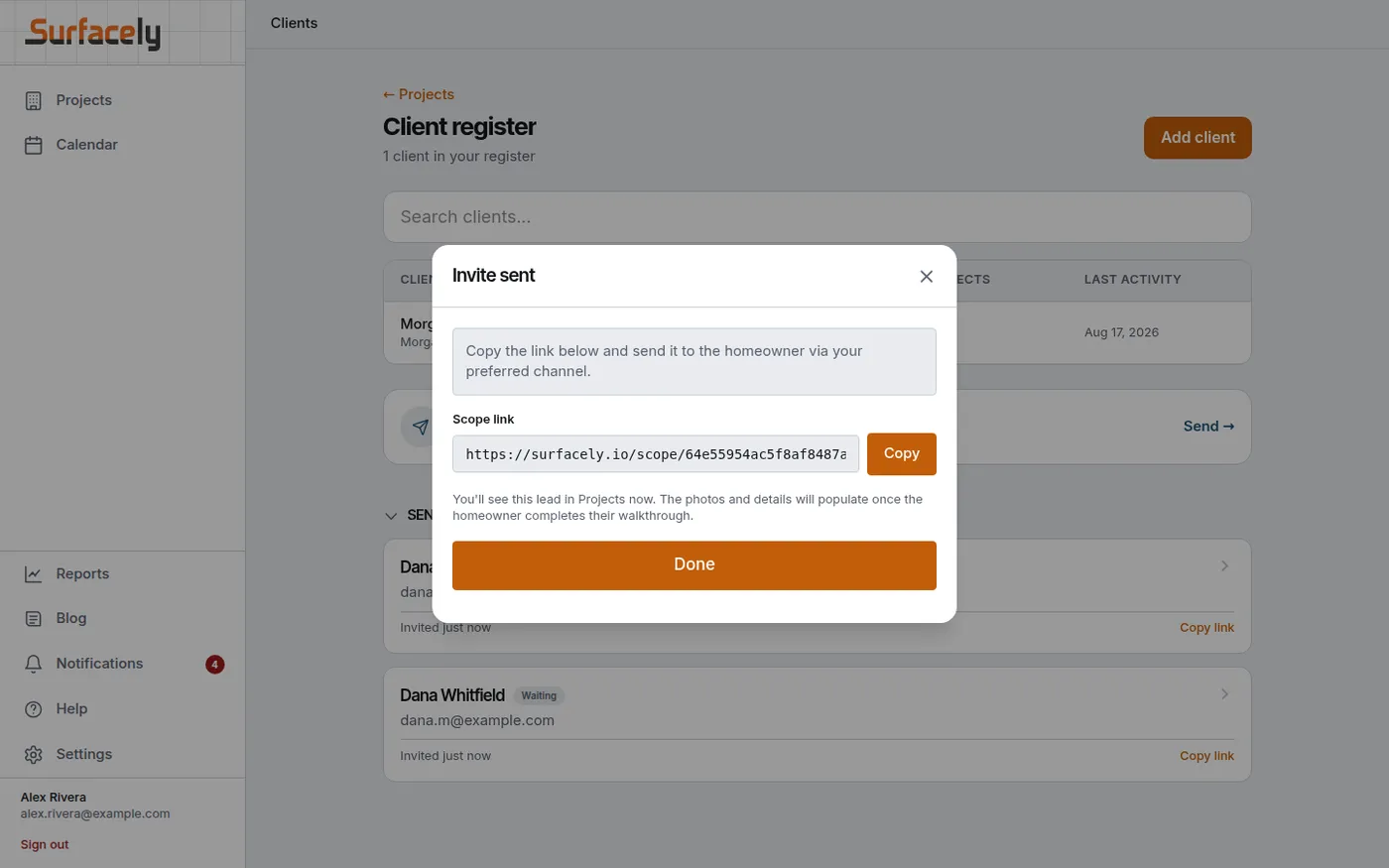
An enquiry comes in. Instead of booking a site visit days out and losing half a day to it, you fill in three fields and send a link — by email, or copy it and text it yourself.
At the desk

For painting companies
Every estimating platform starts the moment you already have the measurements. Surfacely starts before that — with two ways a job gets roughly measured without you driving there, so you can qualify it, refine it, or turn it down before it costs you a trip out. Then it prices it on your numbers, and afterwards tells you whether you actually made money.
About these screenshots. Every screen below is the real product, captured end to end against a live database. The company, the client and the address are invented; the measurements, hours, rates and totals are what the software actually calculated. They come from several jobs at different stages, so project numbers and dollar figures differ from screen to screen.
01
The part no other estimating platform does — and the cheapest way there is to find out whether a job is worth your time.
Step 1
An enquiry comes in. Instead of booking a site visit days out and losing half a day to it, you fill in three fields and send a link — by email, or copy it and text it yourself.
At the desk

Step 2
That is the whole thing. No account for them to create, nothing to install, nothing to print. It works on whatever phone is already in their hand.
At the desk

Step 3
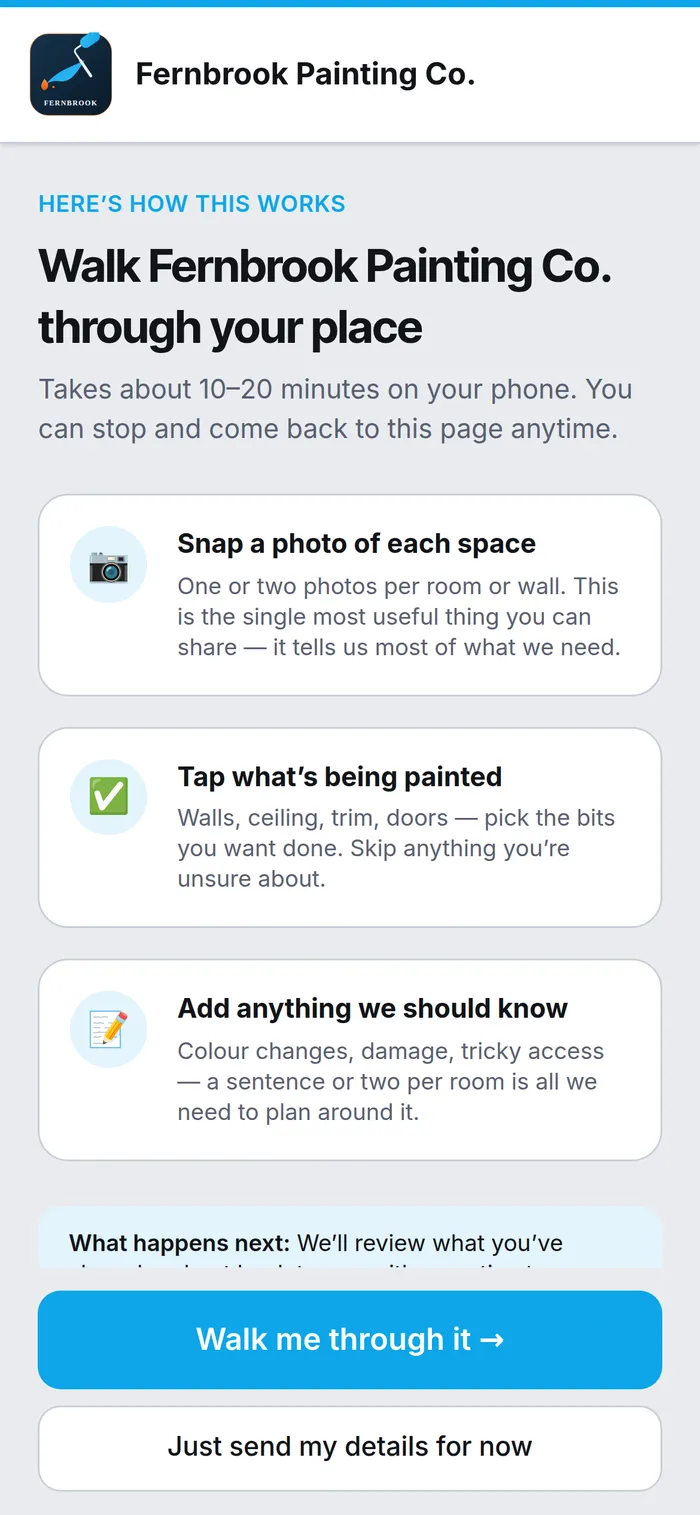
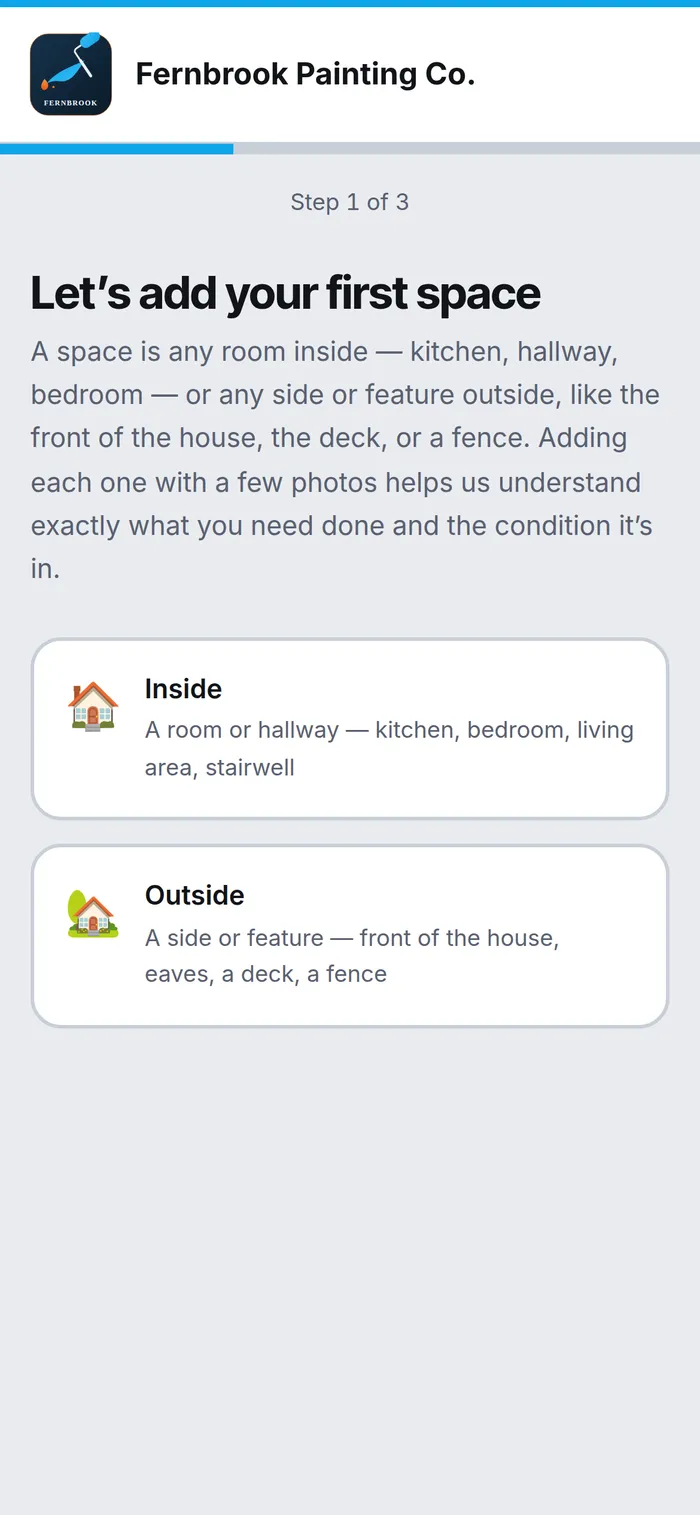
Your logo, your colours, your company across the top: "Walk Fernbrook Painting Co. through your place." As far as the homeowner is concerned this is your software. Surfacely never appears.
The alternative is one tap away too — "Just send my details for now" — so a reluctant homeowner still becomes a lead rather than a bounce.
On the phone, on site

Step 4
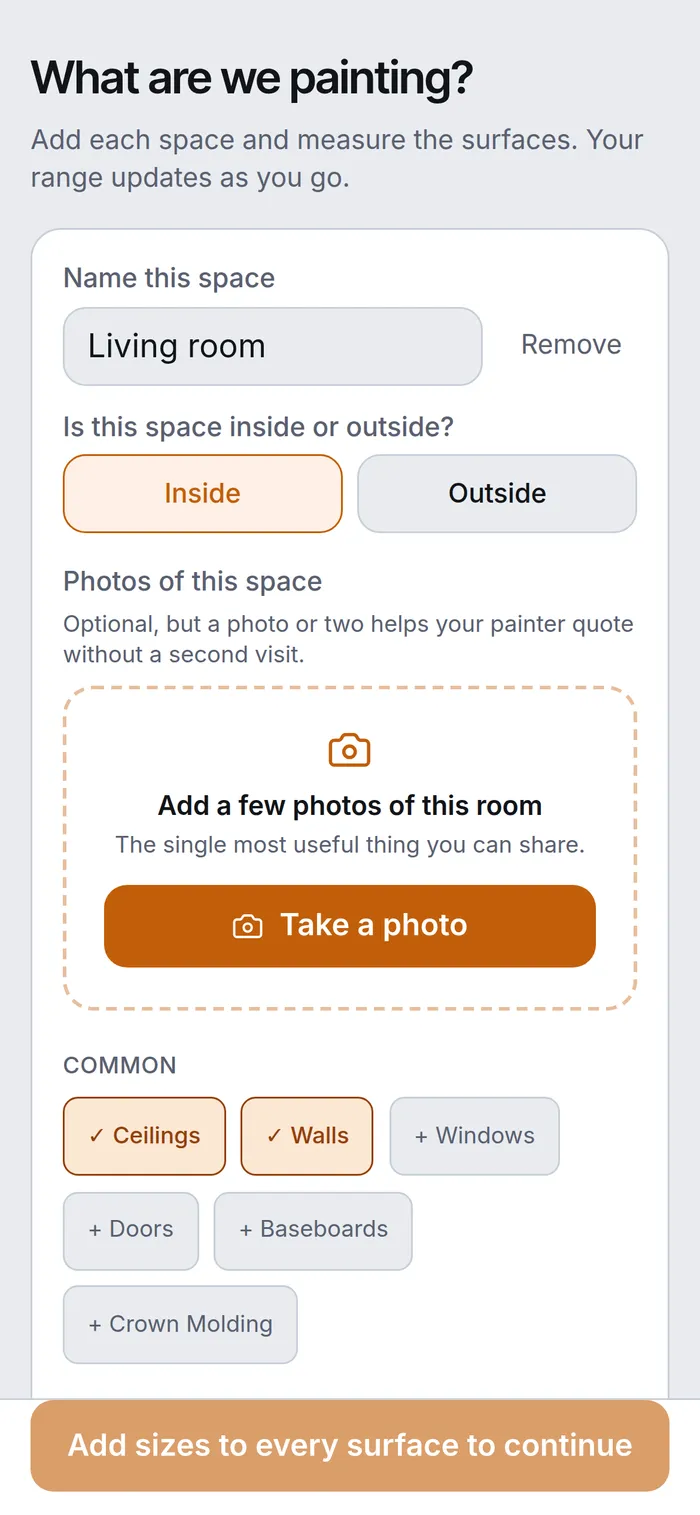
No jargon and no arithmetic — nothing they can get wrong. Inside it asks for a room; outside it asks for an aspect — the front of the house, the eaves, a deck, a fence. Then a photo, and which surfaces are being painted. Questions a homeowner can actually answer standing in front of it.
On the phone, on site

Step 5
Rough is the point. It is not a survey and it does not pretend to be — it is enough to tell a small job from a big one, and it comes to you with photos attached.
On the phone, on site

Step 6
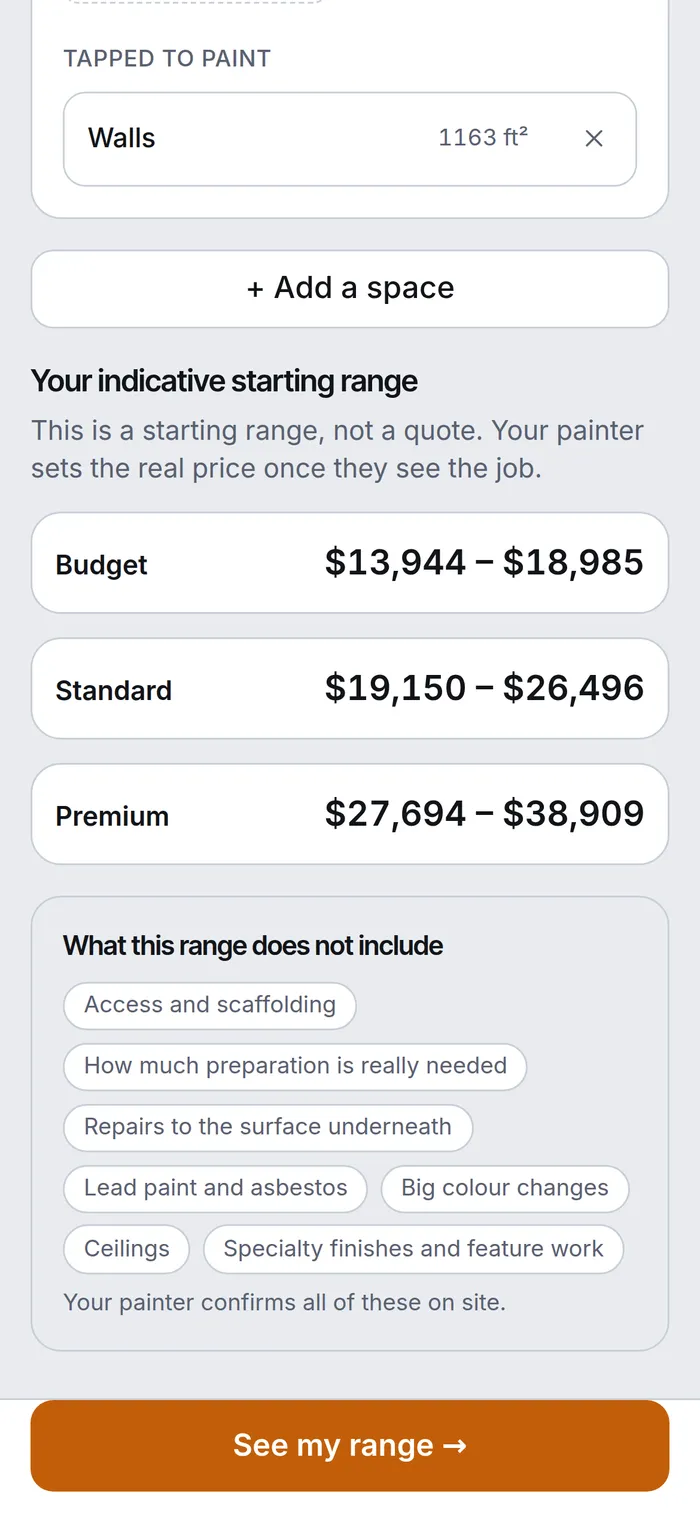
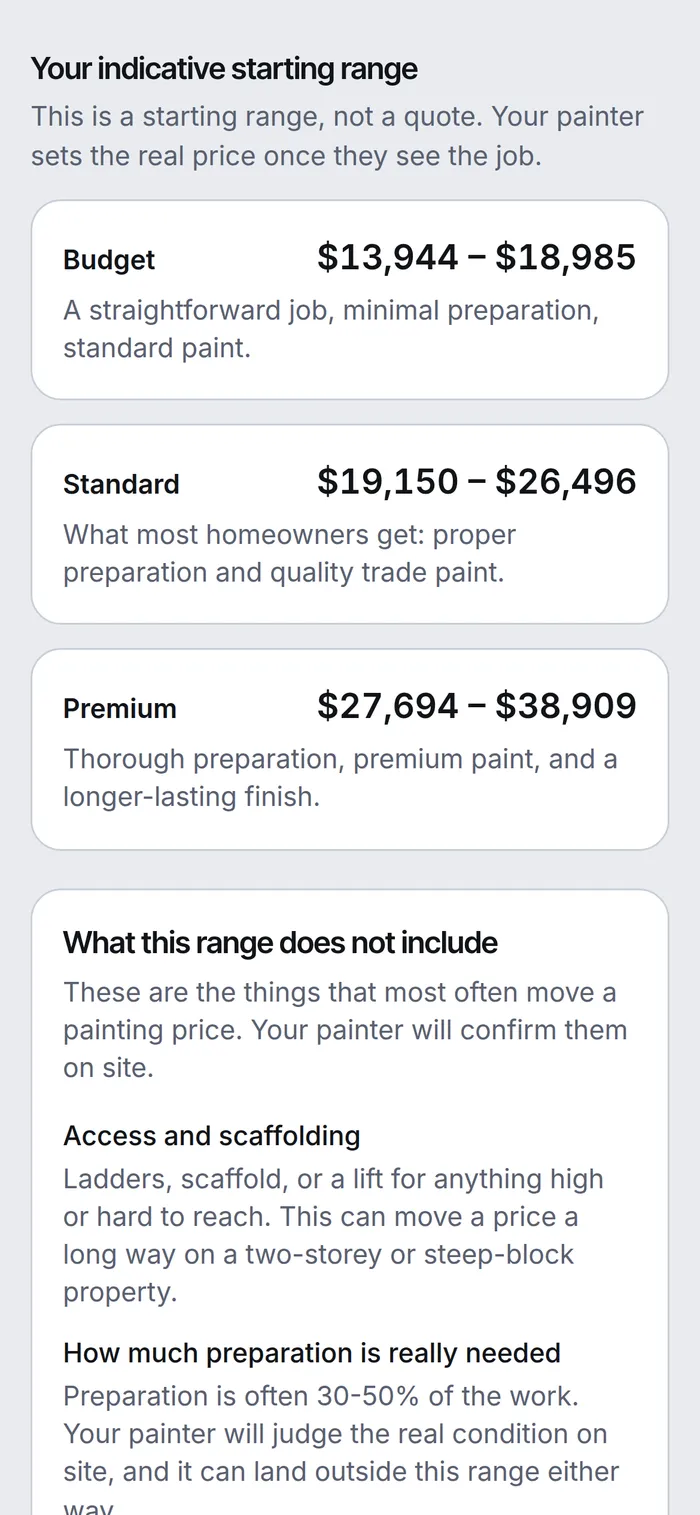
Three tiers, in the homeowner's own words, under a line that does the most important job on the page: "This is a starting range, not a quote. Your painter sets the real price once they see the job."
You are never bound by it, and the homeowner has been told that before they ever contact you.
On the phone, on site

Step 7
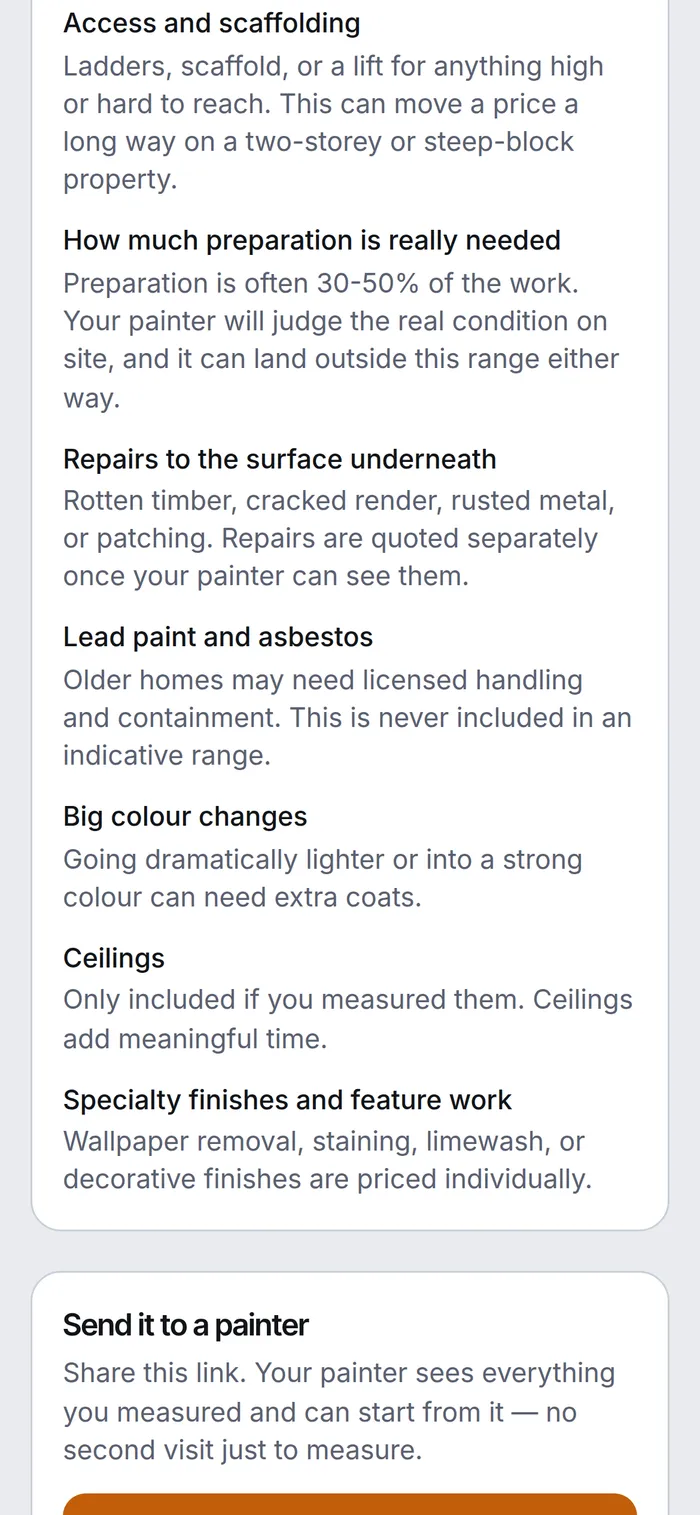
Access and scaffolding. How much preparation is really needed. Repairs underneath. Lead paint and asbestos. Big colour changes. Every one of them named, with "your painter will confirm them on site."
This is the expectation-setting conversation you would otherwise have to have yourself, on the phone, every time.
On the phone, on site

Step 8
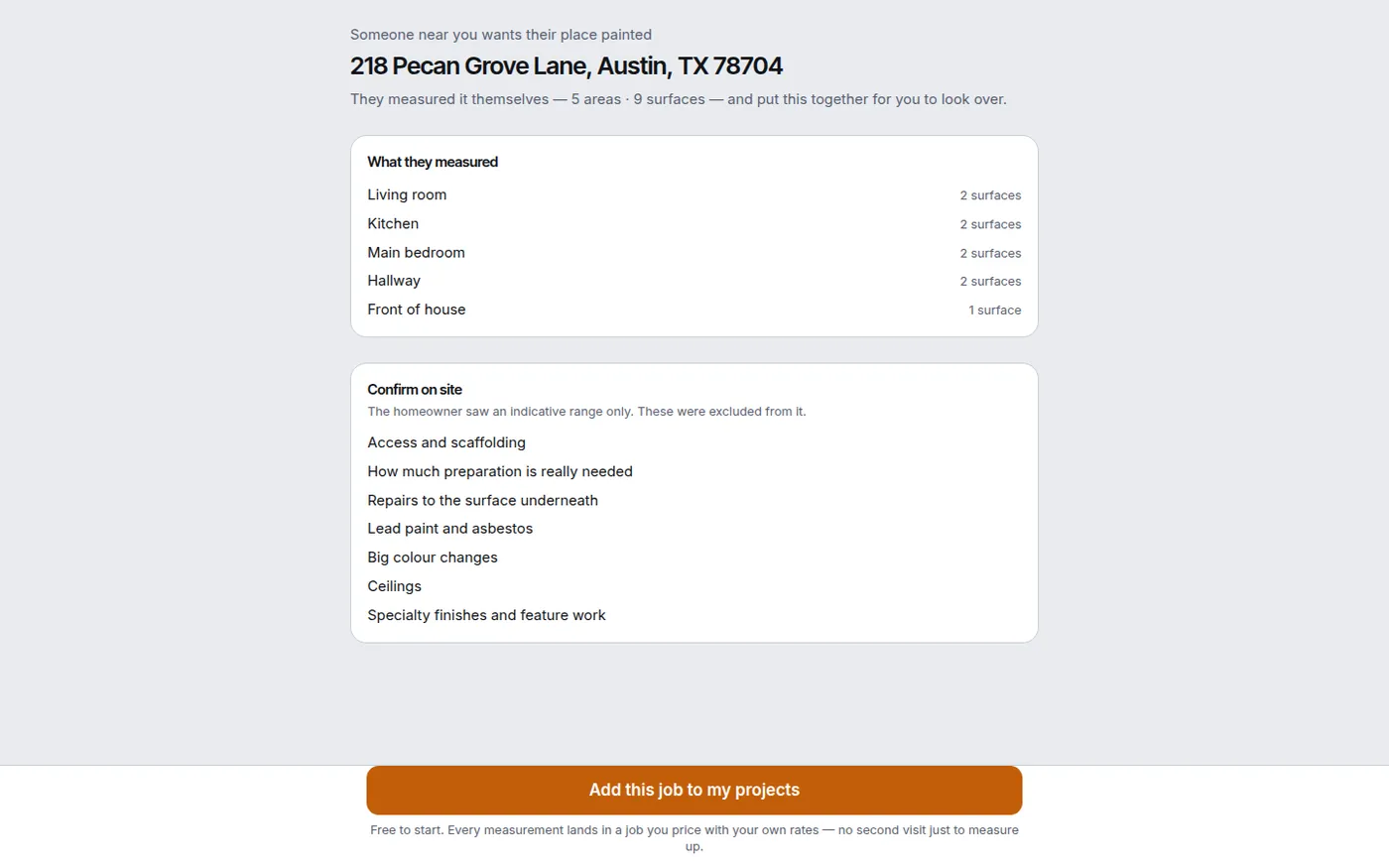
This is the part that matters. Before you spend a minute on it you can see the photos, where it is, how big it is, and what the range deliberately excluded. You review, and you refine.
And you can decide you do not want it. A job that is too small, too far, or too awkward costs you thirty seconds here instead of a round trip — which is the whole saving. Take it on, and you go and measure it properly with their scope already loaded.
At the desk

Step 9
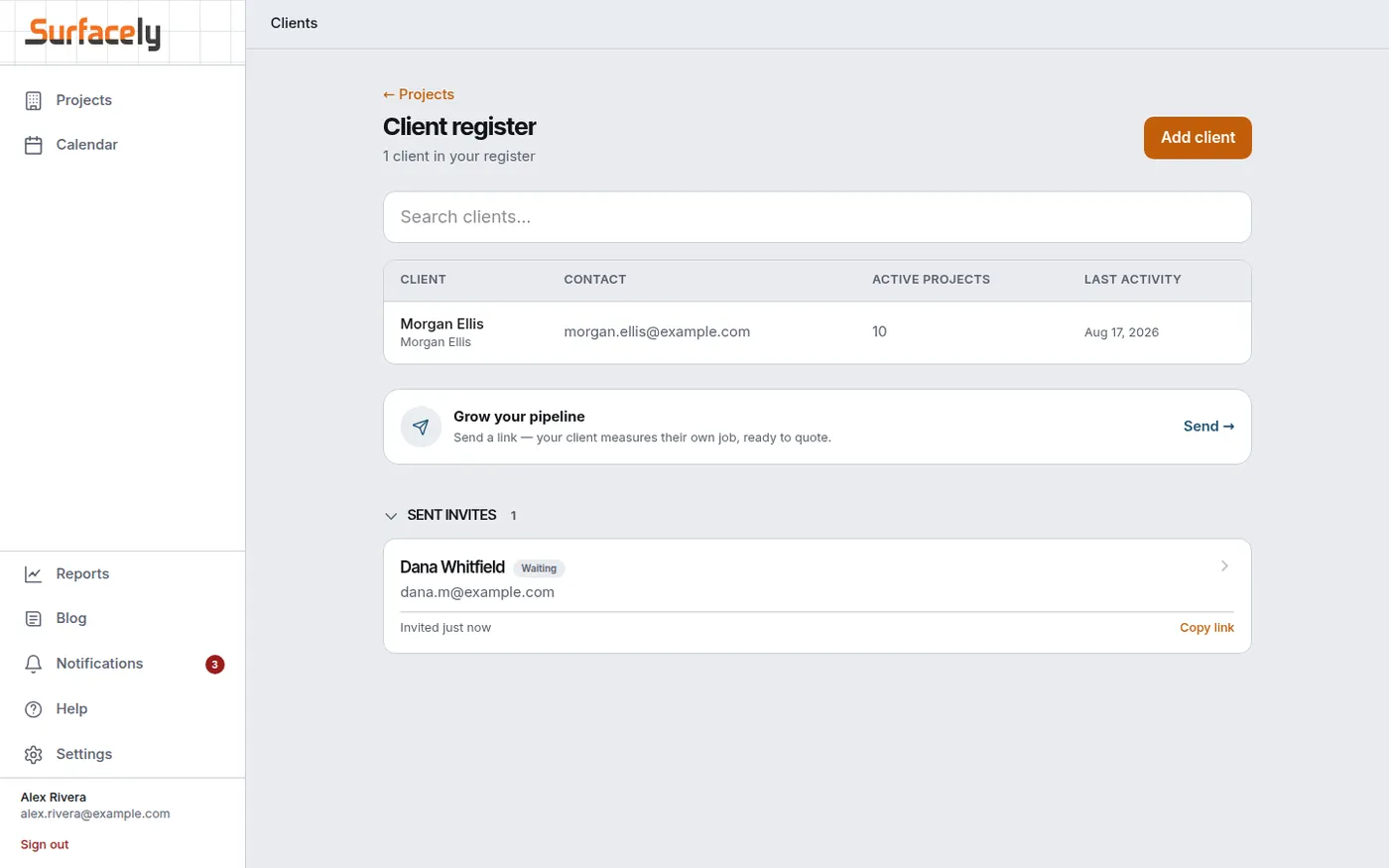
Every invite you have sent, and where it got to. A homeowner who has gone quiet is a follow-up you can actually make, instead of an enquiry you assume went cold.
At the desk

02
The same measuring flow, self-serve — sitting on your site and your social pages, working while you are up a ladder.
Step 10
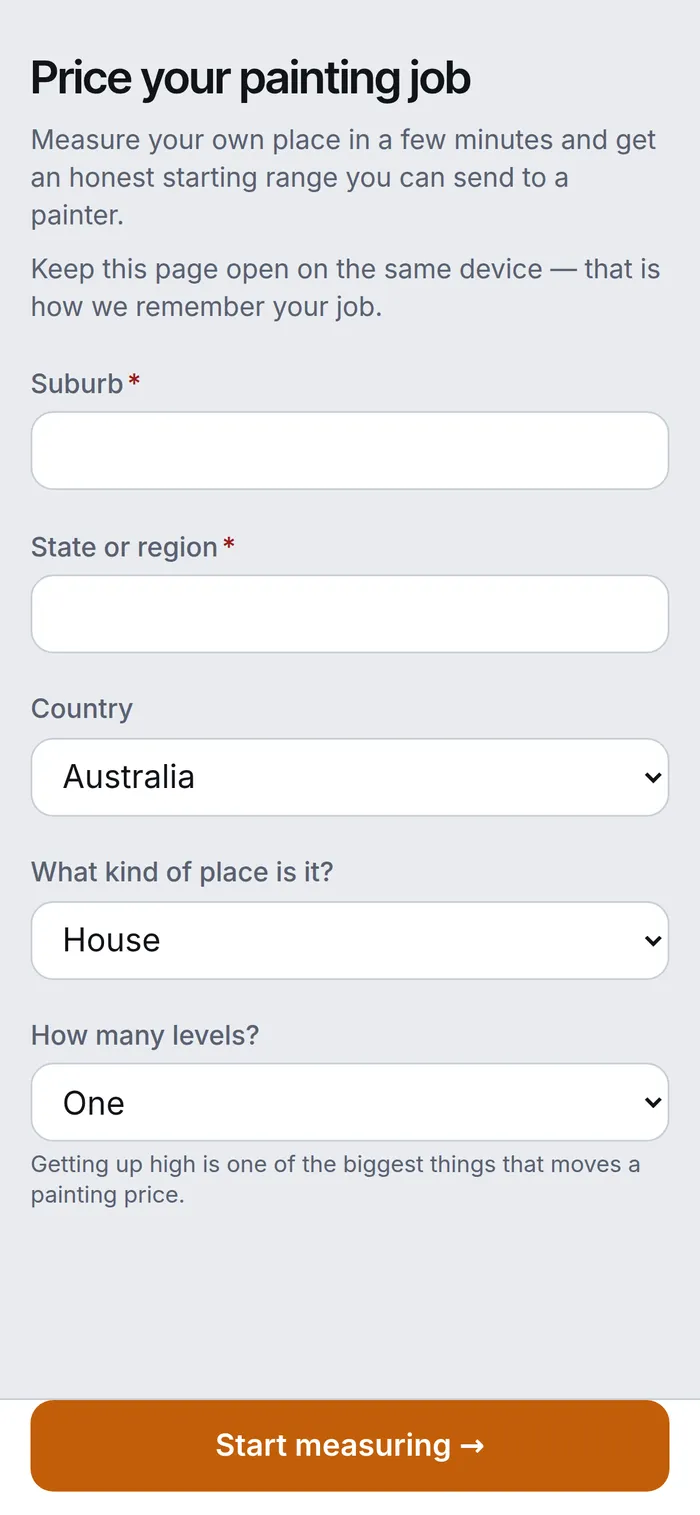
"Measure your own place and get an honest starting range you can send to a painter." Someone who lands on your page at ten at night can start right there, instead of filling in a contact form and waiting for you to call back.
Nothing is routed, brokered or sold, and Surfacely never sells you leads. They came from your page, so the scope they end up holding is one they send to you.
On the phone, on site

Step 11
Same rooms, same surfaces, same photos, same starting range with the same exclusions spelled out. What reaches you is a real scope in Surfacely's own format — which is why you can turn it into a priced quote the same day rather than the same week.
On the phone, on site

03
The homeowner measure qualifies a job; it never replaces yours. On the ones you take on you still walk the site and measure it properly — starting from what they already sent, not from a blank page.
Step 12
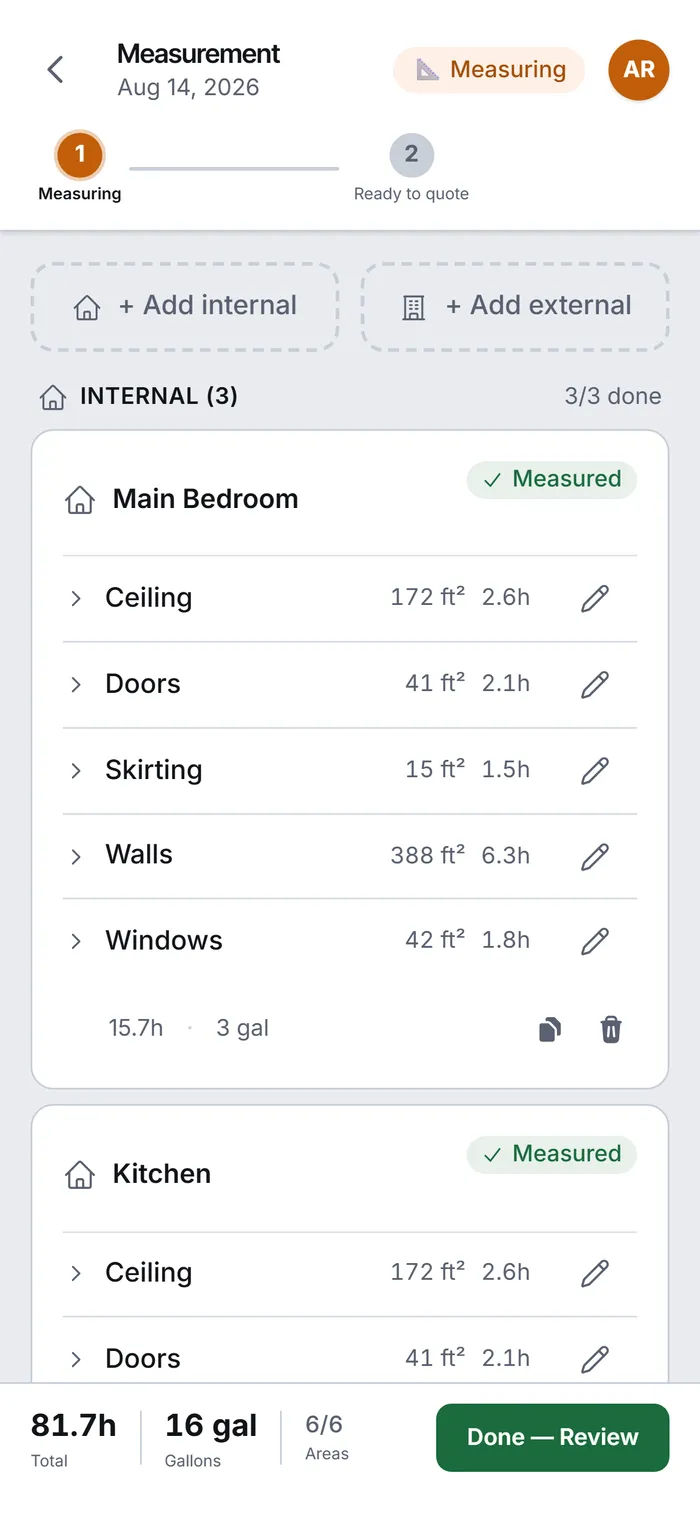
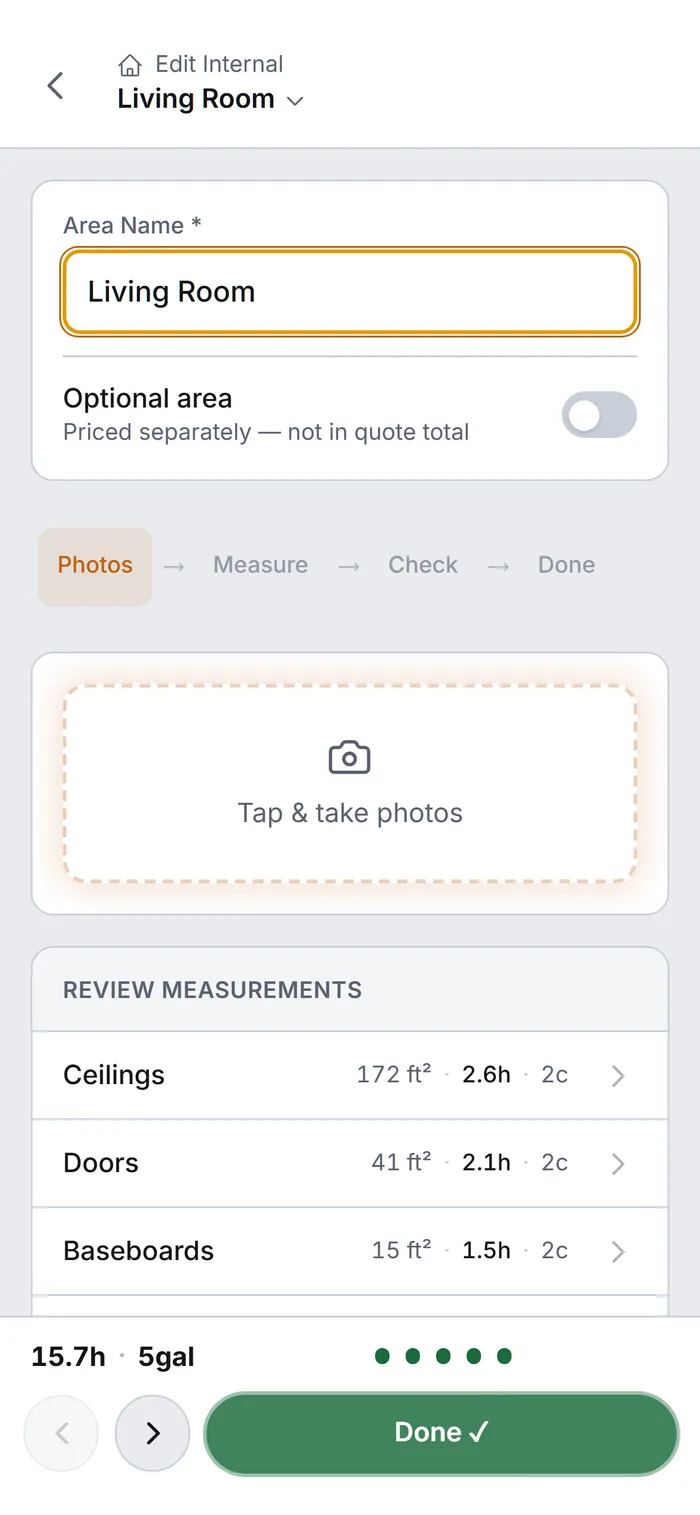
Ceilings, doors, baseboards, walls, windows — each carrying its own area, hours and coat count. The bar at the bottom keeps a running total for the room: 15.7 hrs, 5 gallons.
On the phone, on site

Step 13
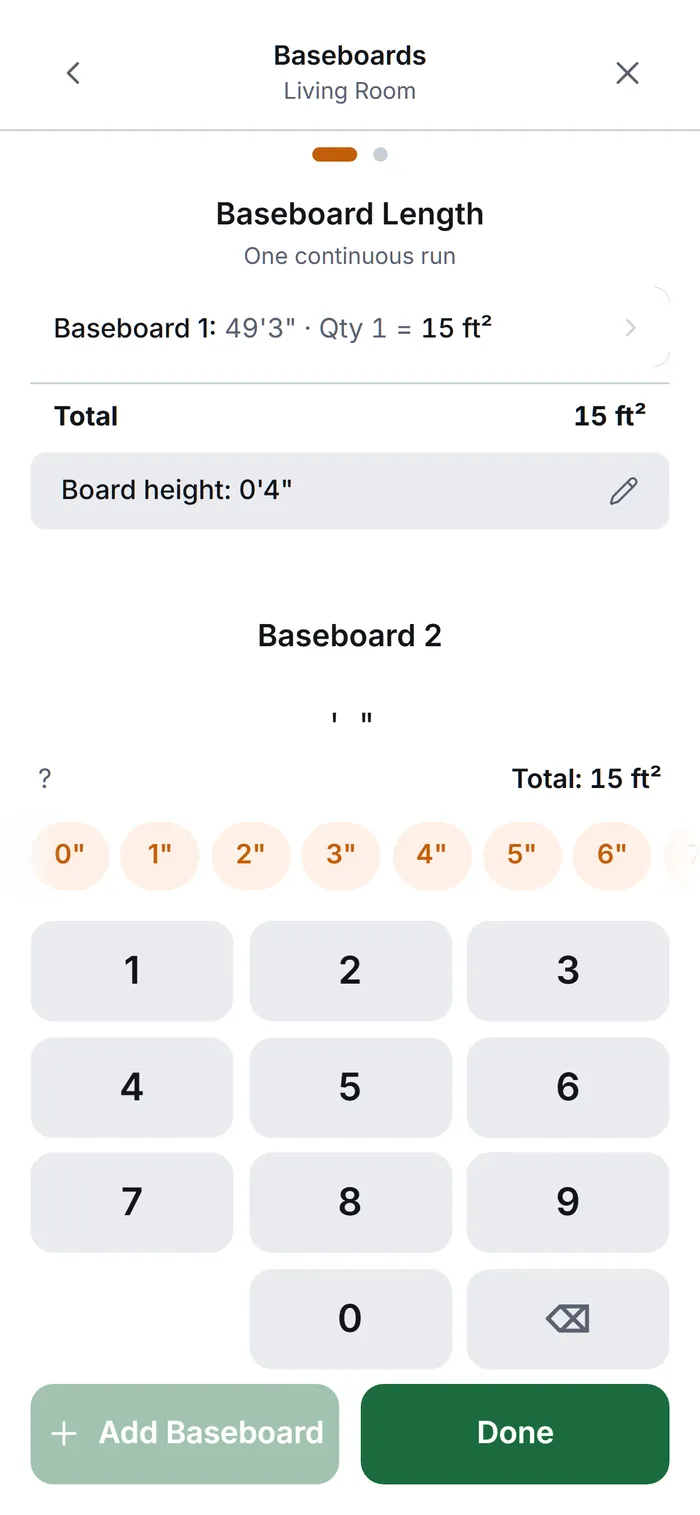
49′3″ for the first run. Add another and it totals as you go. In the US and Canada the grid takes feet and the inches come off their own row; everywhere else it is metres and a decimal point. Either way, no converting in your head and no arithmetic on the back of a business card.
The keypad changes with your country, so nobody is doing unit maths on site. Storage is metric underneath either way; you never see it.
On the phone, on site

Step 14
Six areas, all six done — 81.7 hrs and 16 gallons. Every surface measured rather than guessed. This is the scope the price gets built on.
On the phone, on site

04
At the desk, with the measurements already in. The part that decides whether the job was worth doing.
Step 15
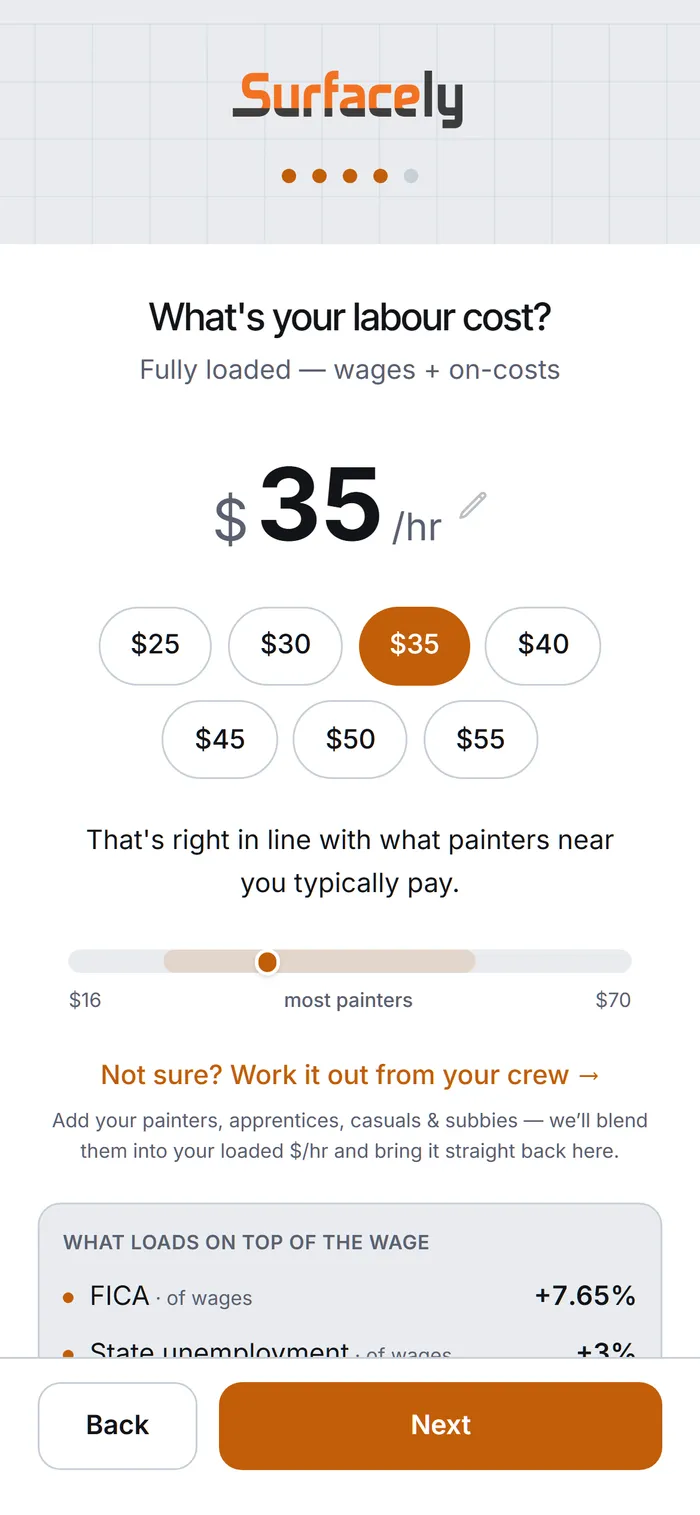
Not your wage — your loaded cost. Wages plus on-costs: tax, insurance, leave. Surfacely shows you where your number sits against what painters near you pay, and every quote you send prices off it.
Not sure? Enter your crew — painters, apprentices, casuals, subbies — and it blends them into one rate.
On the phone, on site

Step 16
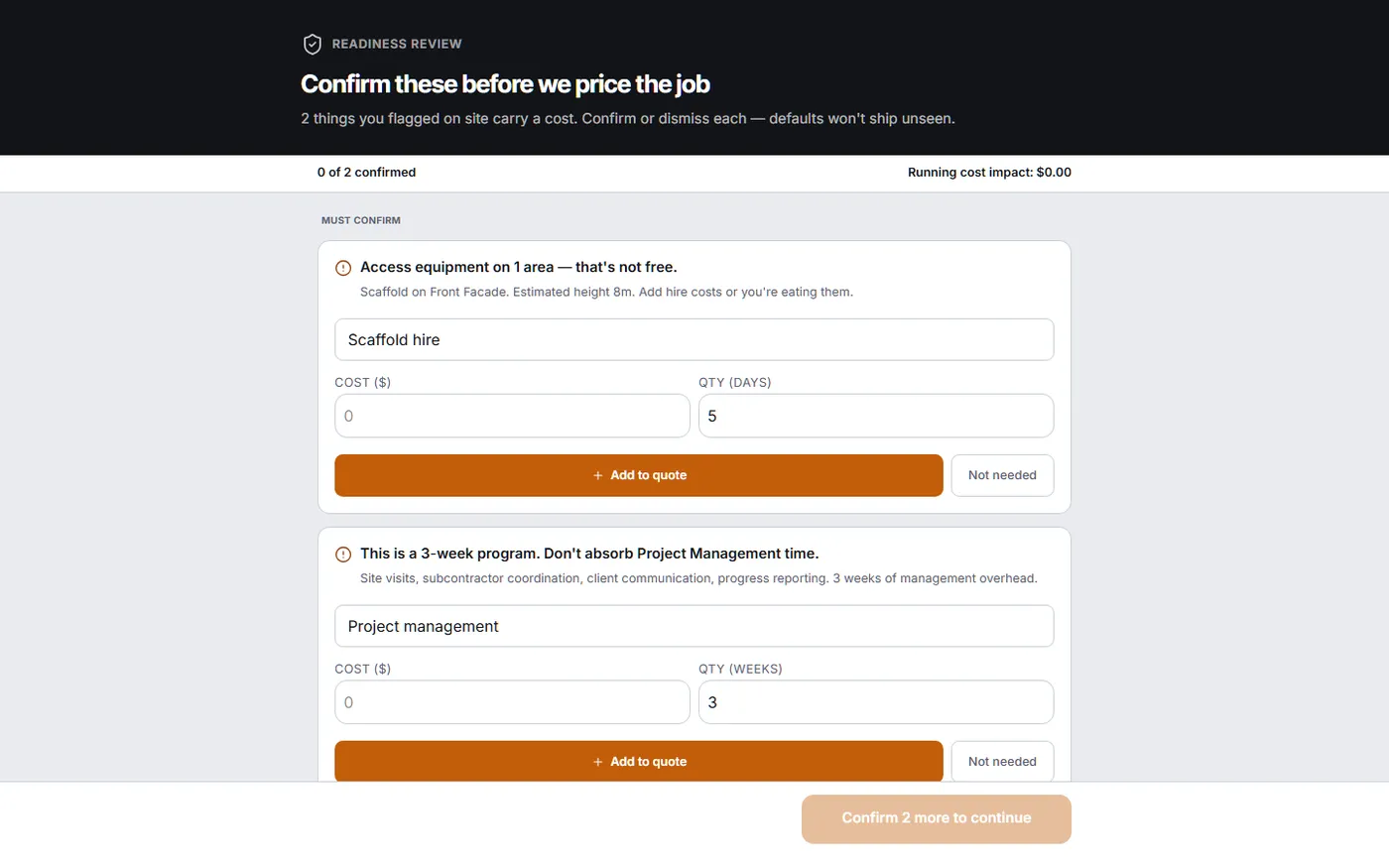
Scaffold on the front facade. Three weeks of project management. Surfacely flags what the measurement implies and will not price the job until you have said yes or no to each one — running cost impact in view the whole time.
Two findings here. Neither is optional to answer; both are optional to charge.
At the desk

Step 17
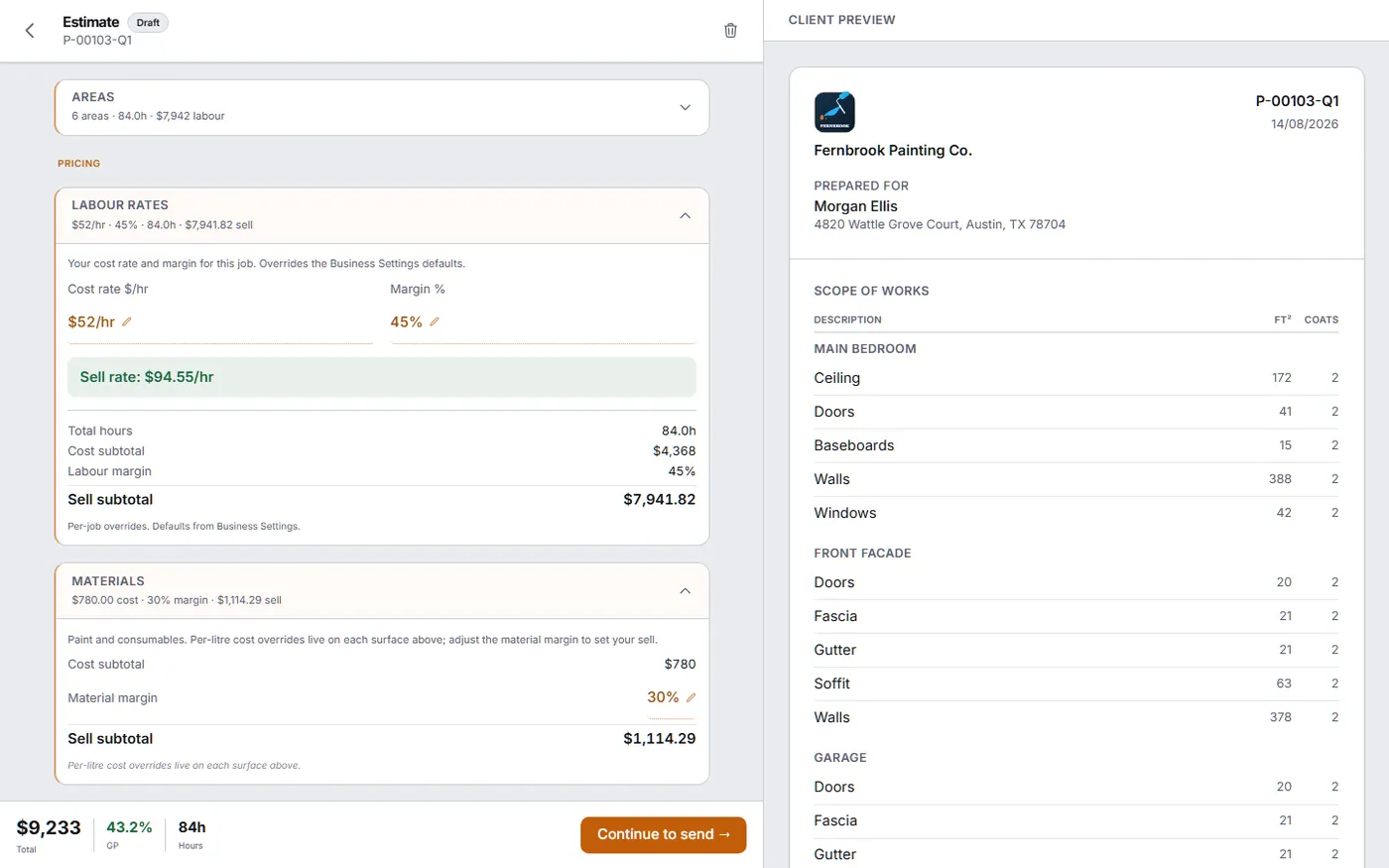
$52/hr cost at 45% margin makes a $94.55/hr sell rate and 43.2% GP across the job. Change either number and the client-facing document on the right updates as you watch.
Sell prices are always derived from cost, never stored — so a rate change can never leave a stale price behind.
At the desk

Step 18
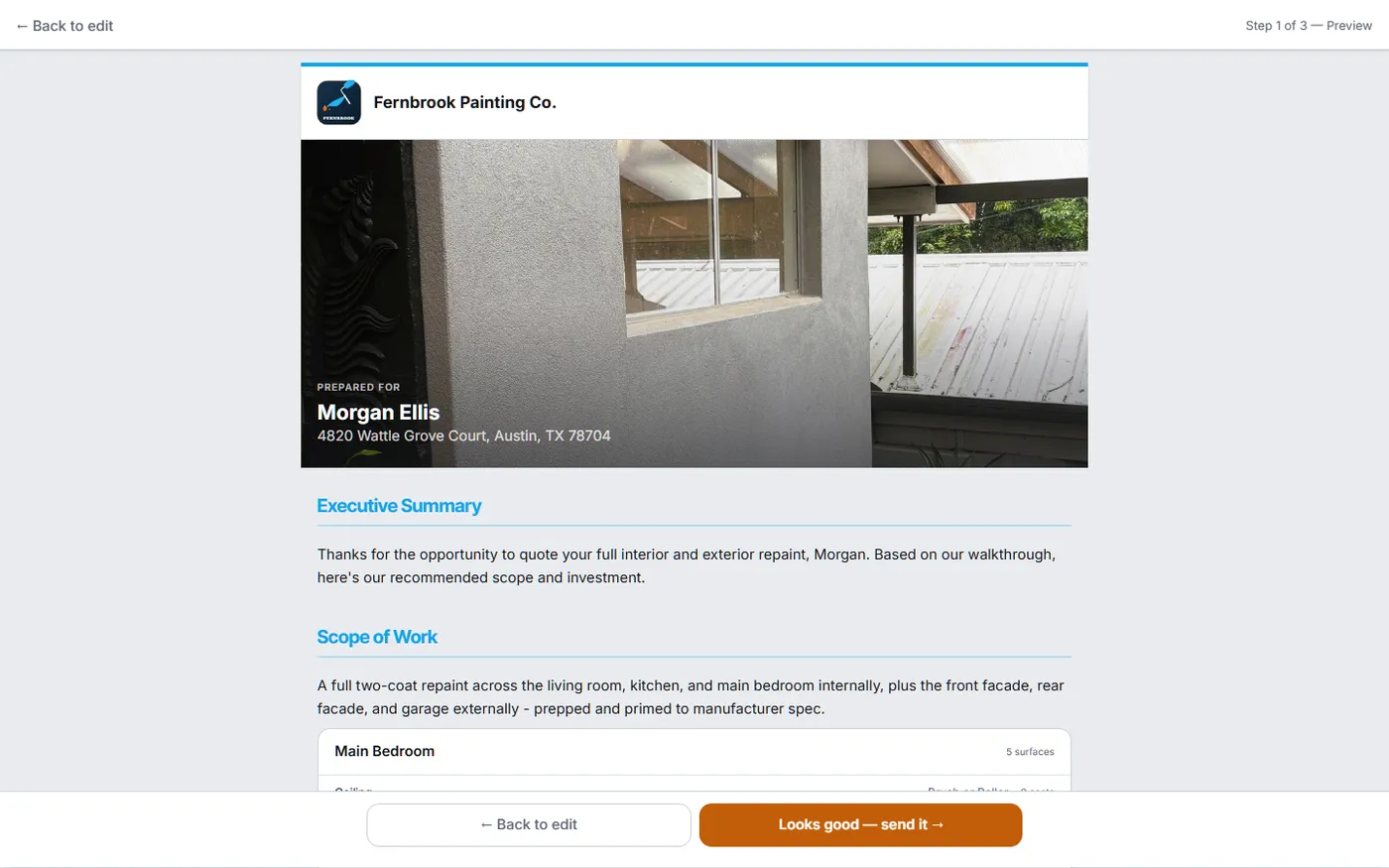
A cover photo of their own house, an executive summary, and the scope of work broken down by area — in your colours, under your logo, the same identity they saw on the measuring link.
At the desk

Step 19
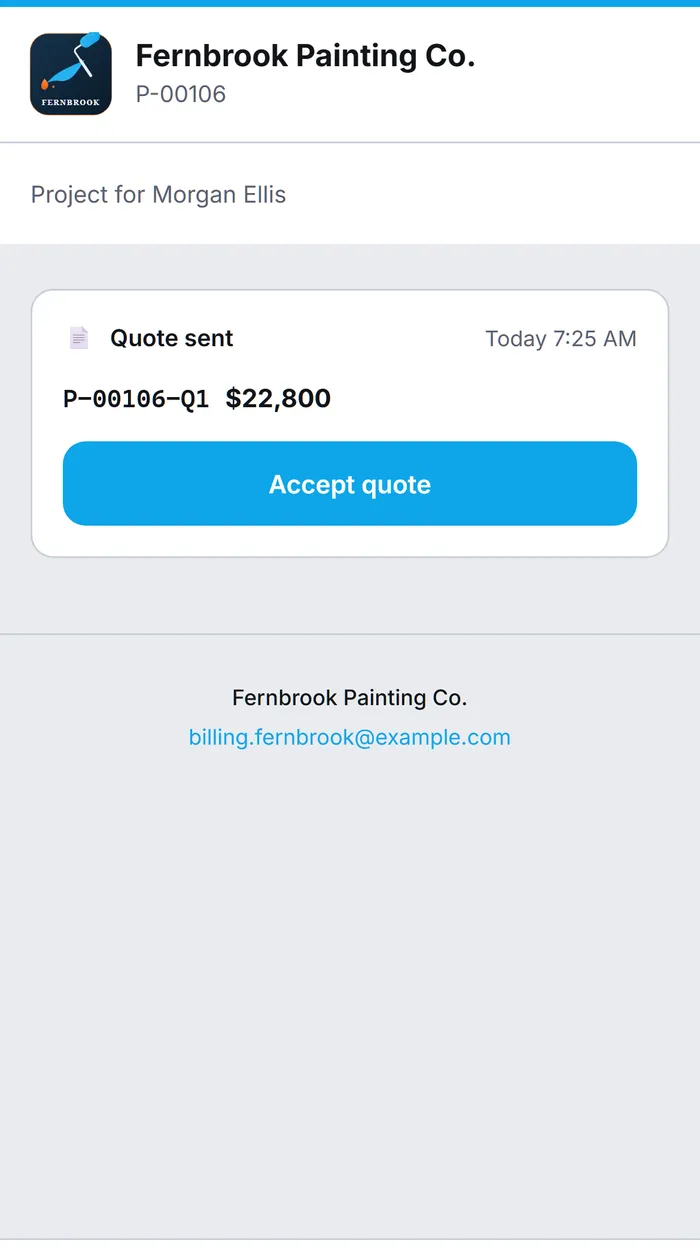
One link. No login, no PDF to download and squint at. Once a quote is accepted it locks — from there, changes are variations, measured and priced the same way.
On the phone, on site

05
The half most quoting tools stop before — and the only half that tells you whether the price was right.
Step 20
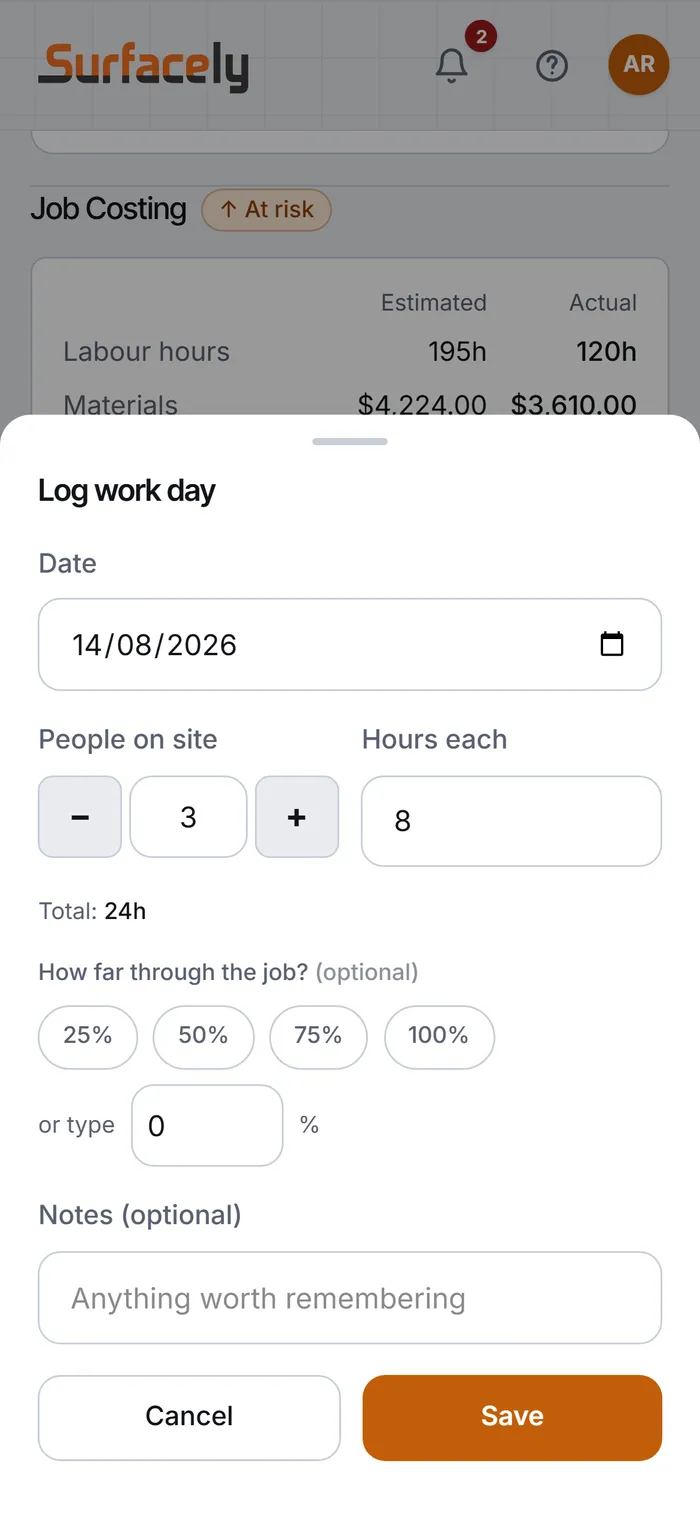
Three on site, eight hours each, three quarters of the way through. About thirty seconds at knock-off.
On the phone, on site

Step 21
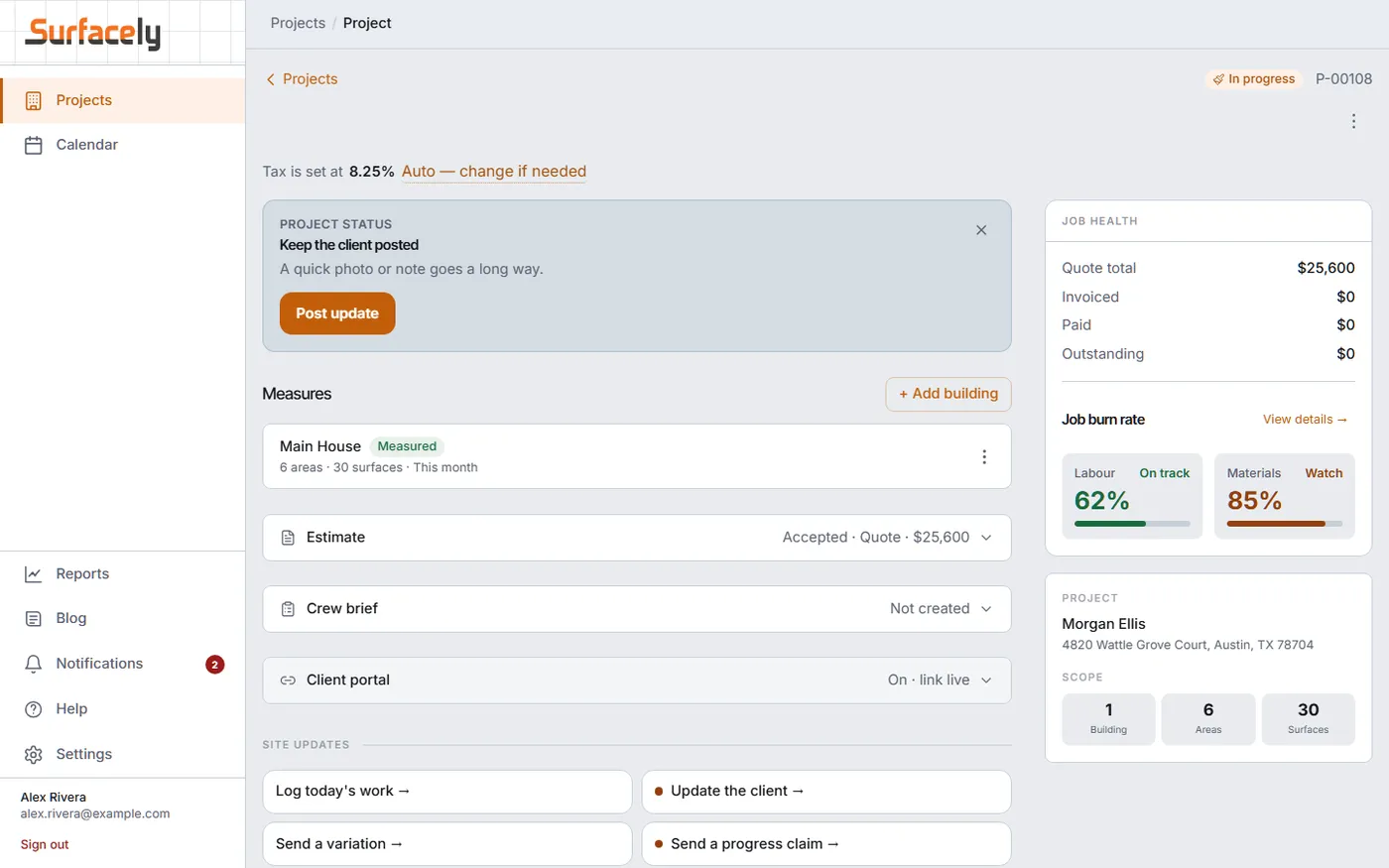
Labour 62% — on track. Materials 85% — watch. You find this out with a week left, not at the end when the money has already gone.
At the desk

Step 22
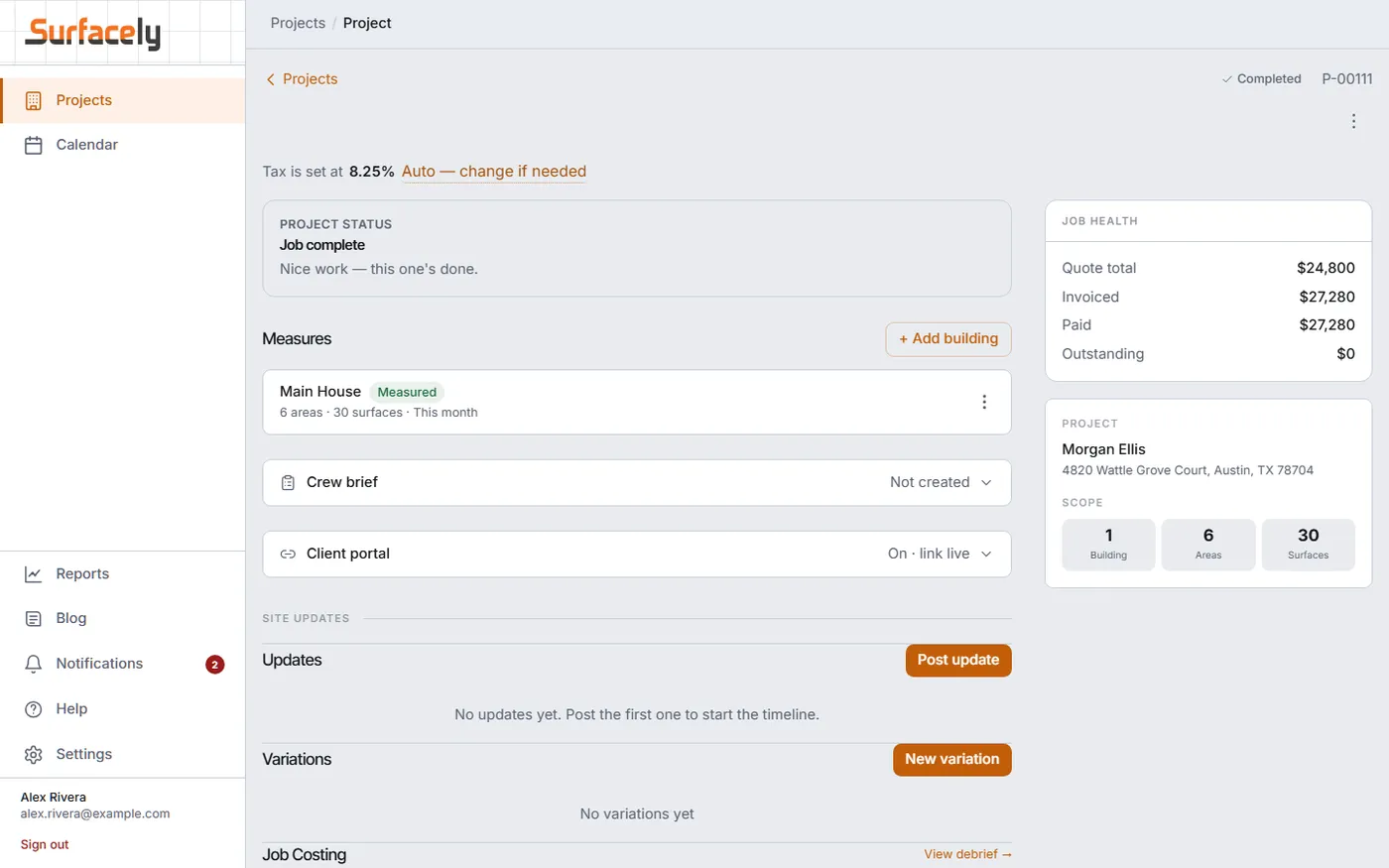
Quote total, invoiced, paid and outstanding in one panel. Job complete, paid in full, nothing left on the table — and the estimate-versus-actual sits behind it, ready for the next quote.
At the desk

FAQ
They do the parts a homeowner can do: name the room, say whether it is inside or out, take a photo, pick the surfaces, and put rough sizes to them. It is not a survey and the app never claims it is — the screen they see says "this is a starting range, not a quote" before it shows them a number. It is enough for you to judge the job.
No. It replaces driving out to find out whether a job is worth measuring. On the ones you take on you still walk the site and measure it properly — the difference is you arrive knowing the job is real, and you start from the rooms and photos they already sent instead of a blank page.
Yes, and that is the point of the whole thing. You see the photos, where it is, how big it is, which surfaces they picked, and the list of things the range deliberately excluded. You refine it into a real quote on your own rates — or you decide it is not a job you want, which cost you thirty seconds instead of half a day.
No, and it never will. There is no marketplace, no bidding, no per-lead fee, and nobody is being sold your name. The public route is a link you put on your own website or social pages, so the person measuring came from your page and the scope comes back to you.
The measurements land on a project in your pipeline, you get a notification and an email, and Surfacely attaches a ballpark value so you can tell a small job from a big one at a glance. The homeowner never sees that number — it is yours, for triage.
Yours. Your loaded labour cost, your production rates, your prep rates, your material margins, your minimum-job rules. Surfacely does the arithmetic and keeps it consistent across everyone who quotes for you. Every number in it is one you set.
That is what the last stage is for. Log actual hours and materials as the job runs, and it tells you where the estimate was off and by how much. The tenth quote is better than the first because the first nine told you something.
Yes, for your own measuring — it writes to the device and syncs when you have coverage again. Half the houses worth quoting have no reception in the garage.
Whichever your country uses — feet and inches in the US and Canada, metres elsewhere. The keypad changes with it, so nobody is converting anything in their head. Surfacely runs in Australia, the US, the UK, New Zealand and Canada.
Set your rates once, then either send a measuring link or walk a room yourself and price it on your own numbers. The fastest way to judge it is on a job you already know the answer to.
Free to start, and your rate card is yours from the first quote — nothing here prices a job on our numbers.
Drag to pan · Esc or × to close