
Sending a quote and the acceptance flow
When a quote is ready, the Send flow walks you through a short confirmation — locale check, T&Cs review, payment surcharge (if you're using Stripe), and payment terms — then sends a branded email to the client with a portal link.
What the client receives
An email from your branded address (or hello@surfacely.io with your business name if you haven't set up a custom sender). Inside, a clean summary and a link to the portal.
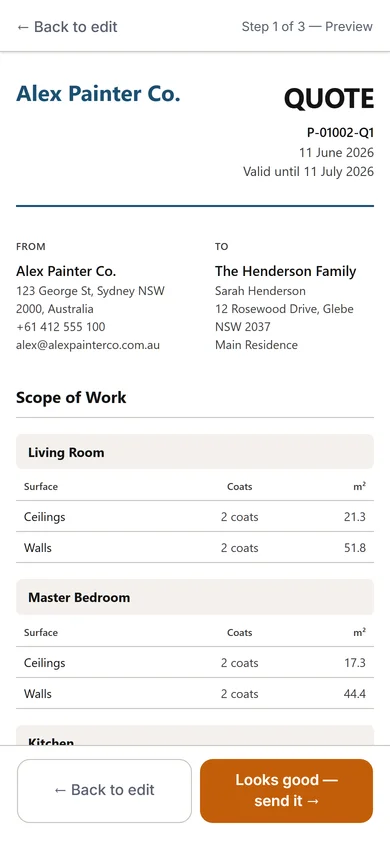
The client portal
At the portal link, the client sees:
- Your logo and brand colour at the top
- Quote summary — work described in plain language, total in $
- Full line-item breakdown (collapsible if they want detail)
- T&Cs
- An Accept button with a digital signature step
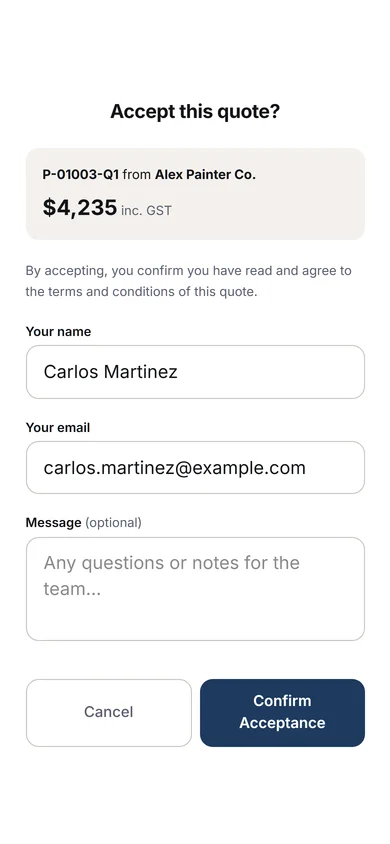
After acceptance
Status flips to Won. Surfacely auto-generates a deposit invoice (if your payment terms include a deposit). You get a notification. The project moves into the active pipeline, ready for scheduling and delivery.
If they want changes
They can reply to the email, call you, or use the portal's message feature. If the change is structural, create a new quote version. If it's small, you can absorb it or issue a variation once the job starts.
Why it matters: the faster the acceptance loop, the more jobs you win. A branded portal with a one-tap accept converts far better than a PDF and a "please confirm by email" request — because the friction for the client is gone.
Tip: check the quote view status on each project. If a client opened the quote but didn't accept after 48 hours, a friendly follow-up call will convert a lot of them.