
Your first 5 minutes in Surfacely
Surfacely turns measure-to-money into one workflow. Get these four things in place in your first session and every future quote will be faster, sharper, and more profitable.
1. Finish your business profile
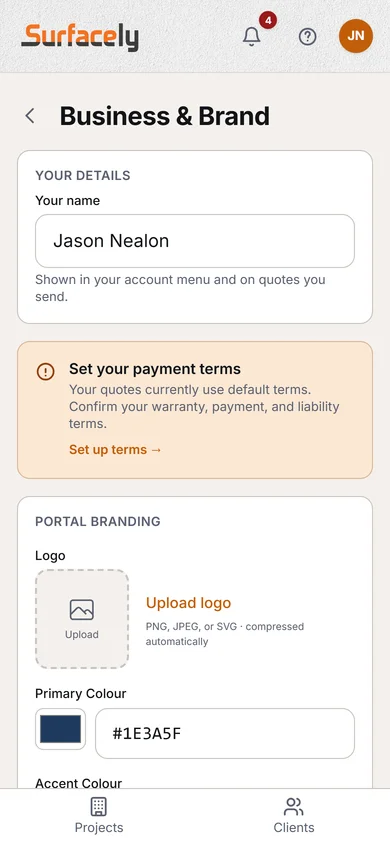
Open Settings → Business & Brand. Add your business name, logo, and brand colour. These flow straight onto every quote, invoice, proposal, and client portal — so clients see your brand, not ours.
Why it matters: painters who quote on branded PDFs win more work than painters who send plain spreadsheets. Doing this once pays you forever.
2. Set your labour rate and margin
Open Settings → Pricing & rates. The first two fields on the page are your cost rate (what you actually pay painters per hour, in $) and your margin (default 45%). Surfacely calculates the sell rate automatically — you never have to mark up by hand again.
3. Pick your materials
In Settings → Pricing & rates → Advanced pricing → Materials, confirm the 10 built-in categories and their default products for your region. Products and cost per L are pre-filled from the top paint brands in your market, and each paint's spread rate starts on "Depends on the surface".
4. Start your first project
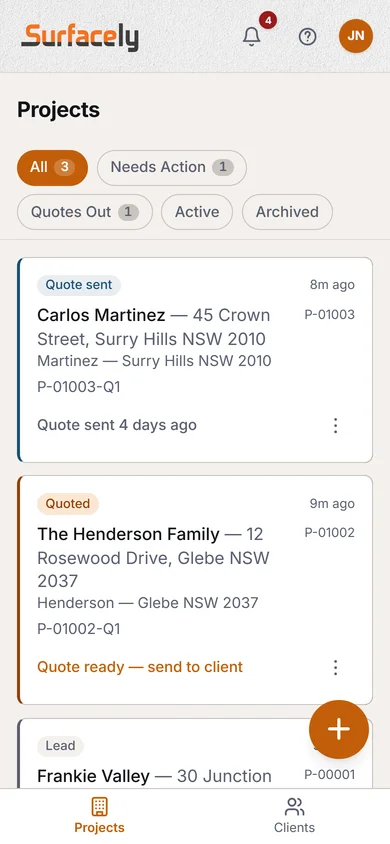
Back on the Projects tab, tap the "+" button. The wizard walks you through client → type → location in under a minute. Then you're measuring.
You don't need to be perfect on day one. The only locked-in choice is the project type (repaint vs new build). Rates, templates, and surfaces can all be tuned later — just start.